
01 / Product stories
Give a product its own world.
Explore how lighting, materials, and a considered setting turn a simple object into the focal point of an image.
Explore this prompt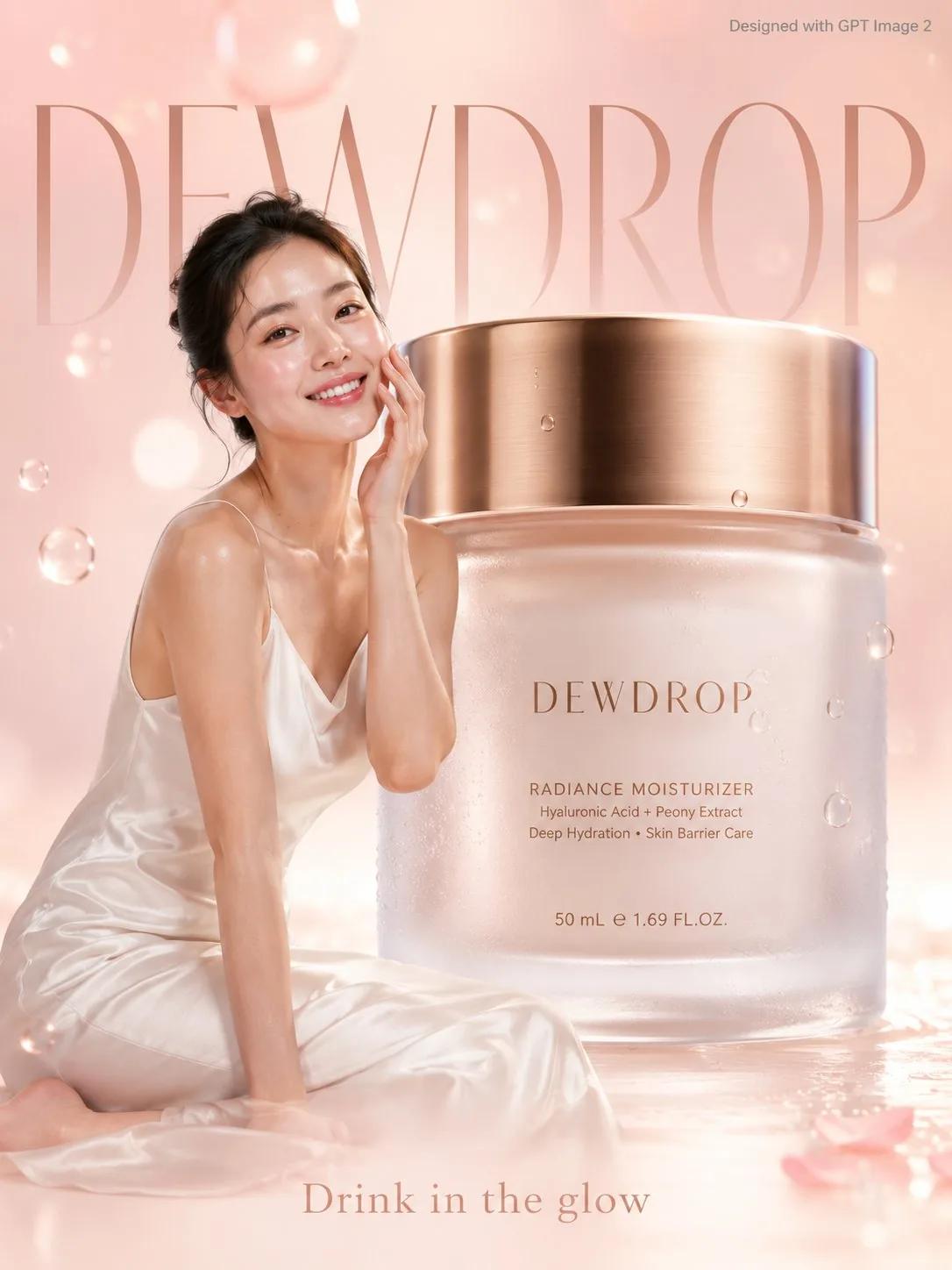 View prompt
  𝐌@Strength04_X ↗55 likes on X
 OpenAI · Available on Inspia
Product stories. Bold posters. A whole new point of view.
Find a look, adapt the prompt, and make it yours.
 View prompt
  Sairah@Sairah_0 ↗50 likes on XView prompt 𝐌@Strength04_X ↗55 likes on X
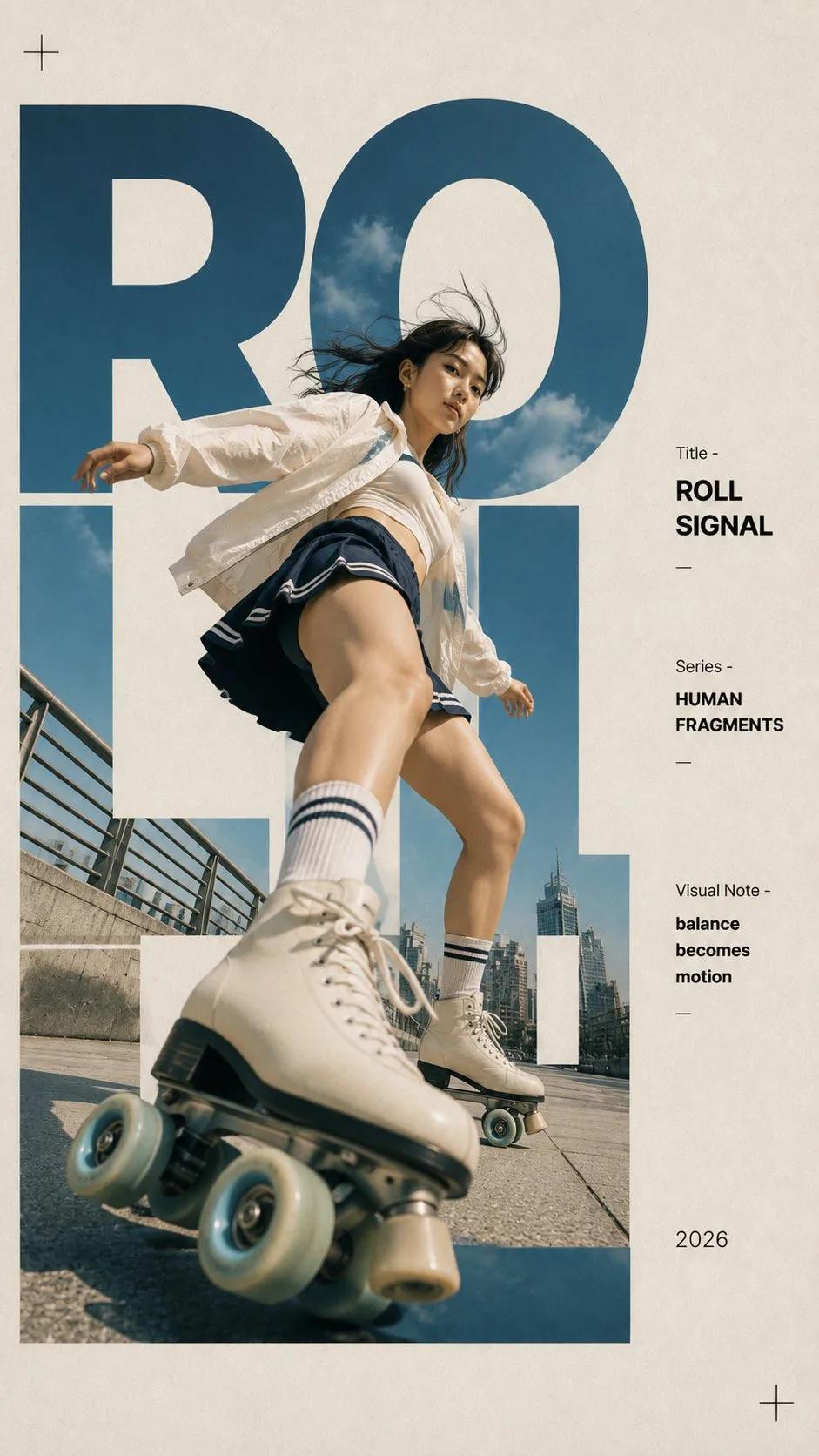 View prompt Sairah@Sairah_0 ↗93 likes on X
Explore the details that give an image its character, with the original prompts behind every example.
Explore how lighting, materials, and a considered setting turn a simple object into the focal point of an image.
Explore this promptView prompt 𝐌@Strength04_X ↗55 likes on XStart with an editorial layout, then adapt the headline, composition, and visual hierarchy. Check generated text before publishing.
Explore this promptView prompt Sairah@Sairah_0 ↗93 likes on XExplore photographic direction through contrast, framing, and texture. Use the original prompt to understand how the look was described.
Explore this promptView prompt Sairah@Sairah_0 ↗50 likes on XReal creator examples, with the words behind the work. Results vary by prompt, references, and settings.
Browse all GPT Image 2 promptsView prompt 𝐌@Strength04_X ↗55 likes on XA soft premium skincare advertisement poster. A radiant young woman with dewy glowing skin in a white silk slip dress gently touches her cheek beside a giant frosted glass moisturizer jar 3x her height with a gold lid, "DEWDROP" written in minimal rose gold script on the jar front. Soft blush pink and ivory gradient background with floating water droplets and soft bokeh light orbs. Delicate minimal typography "DEWDROP" in rose gold filling the background softly. Tagline bottom: "Drink in the glow." Small text top-right corner reads "Designed with GPT Image 2" in grey. Photorealistic, premium skincare lifestyle editorial, soft dewy natural rose lighting.
View prompt Sairah@Sairah_0 ↗93 likes on XCreate a 9:16 editorial typography poster built around one human-centered moment. Use oversized, cropped letters as the main composition structure. Embed the environment inside the letterforms, while the person, body movement, or a foreground object breaks through the letters with strong perspective. The typography should shape the image, not simply sit on top of it. Scene: [roller skating / swimming / cycling / coffee break] Subject: [young Asian woman / Western man / Asian man / Western woman] Title: [custom two-word title] Series: HUMAN FRAGMENTS Year: 2026 4 directions: 1. ROLL SIGNAL — a roller skater gliding past the camera, one skate enlarged in the foreground, body and urban scene passing through giant letters. 2. BLUE CURRENT — a swimmer moving through turquoise water, one arm reaching toward the camera, water and splashes filling and breaking beyond the typography. 3. CITY LOOP — a cyclist turning through a city street, the front wheel enlarged by perspective and visually connected with circular letterforms. 4. BREW PAUSE — a quiet café moment, with the hand and coffee cup closer to the camera while the person and window scene are woven into oversized type. Use realistic photography, natural skin and fabric, believable water and motion, subtle paper grain, strong negative space, and a restrained color palette.
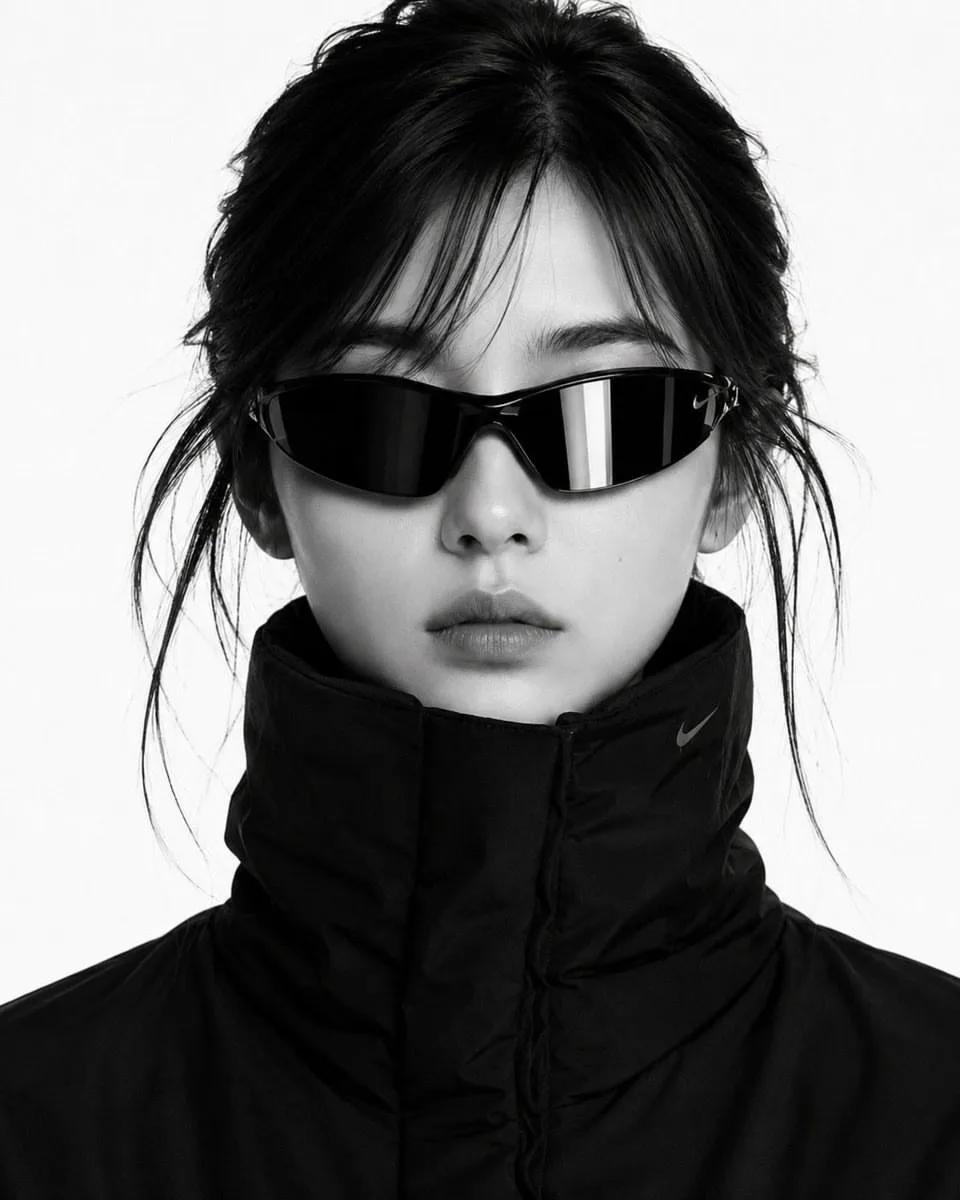
View prompt Sairah@Sairah_0 ↗50 likes on XCreate a close-up black-and-white high-fashion editorial portrait using the uploaded photo as the facial identity reference. Preserve the exact facial structure, hairstyle, skin texture, proportions, expression, and overall likeness from the uploaded image. Keep the same sporty wraparound dark sunglasses with reflective lenses and the same oversized high-collared black puffer garment covering the neck.
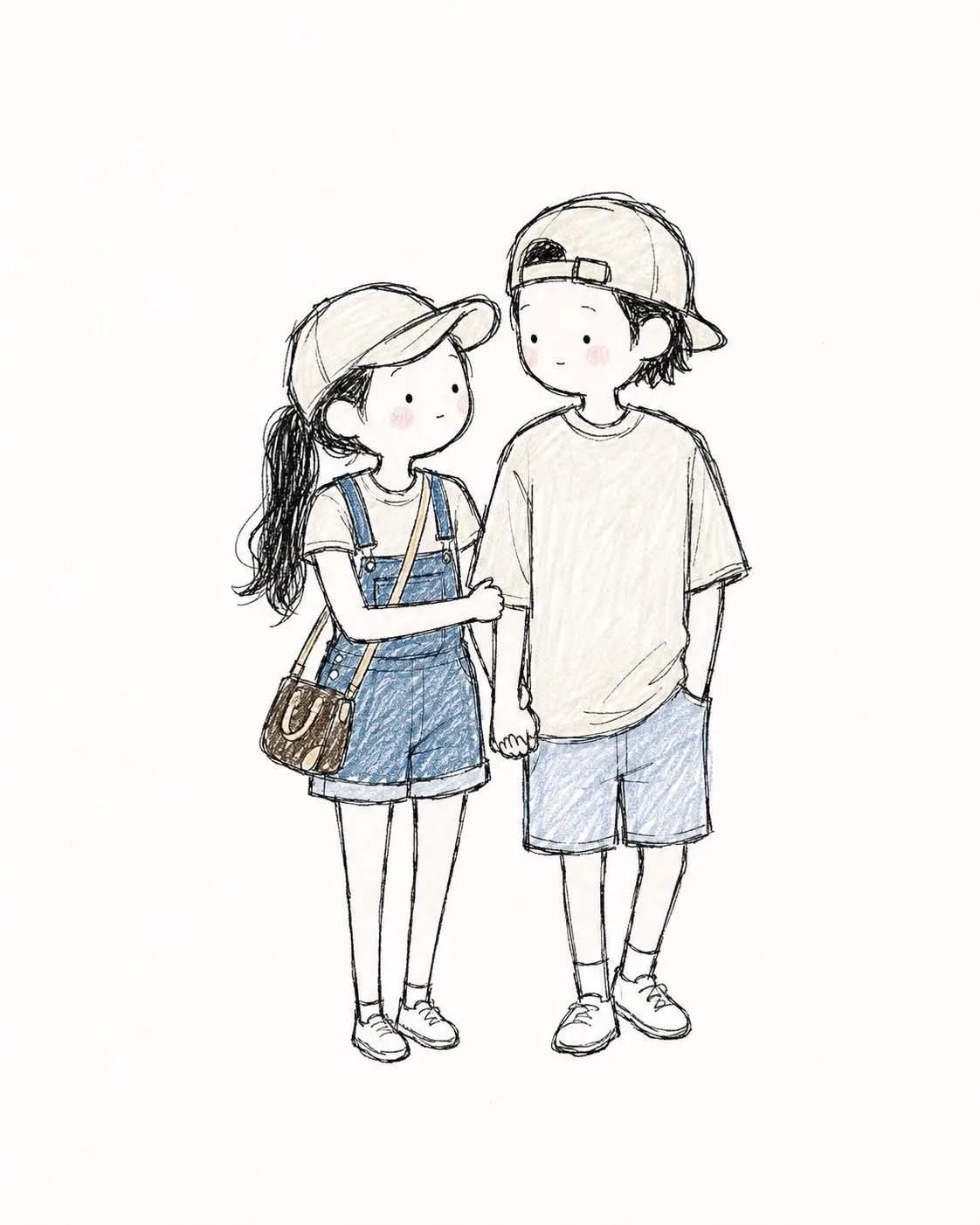 View prompt Sairah@Sairah_0 ↗196 likes on X
Create a cute, whimsical 2D hand-drawn storybook illustration of [SUBJECT/CHARACTERS]. Style: soft pencil-and-colored-pencil sketch, delicate imperfect black ink outlines, light cross-hatching, subtle paper texture, gentle pastel coloring, minimal shading, innocent children's picture-book aesthetic, charming handmade feel. Characters should have simplified cute proportions, small dot-like eyes, tiny minimal facial features, soft rosy cheeks, natural expressions, and slightly exaggerated adorable poses. Preserve the important visual characteristics of the reference subjects, including face shape, hairstyle, hair color, clothing, accessories, and distinctive details, while translating them naturally into this illustrated style. Composition: [DESCRIBE POSE/ACTION]. Keep the characters clearly visible from head to toe, naturally interacting with each other, with relaxed body language and balanced spacing. Use a clean warm-white/off-white background with plenty of negative space. Keep the illustration light, airy, minimal, and elegant. Color palette: muted pastel tones, soft denim blue, beige, cream, light brown, and subtle pink accents. Avoid strong saturation. Overall mood: wholesome, innocent, cozy, playful, romantic, nostalgic, and effortlessly cute. Avoid: photorealism, 3D rendering, glossy digital art, heavy shadows, sharp outlines, excessive detail, anime-style exaggeration, overly perfect faces, dramatic lighting, cluttered backgrounds, text, logos, and watermarks.
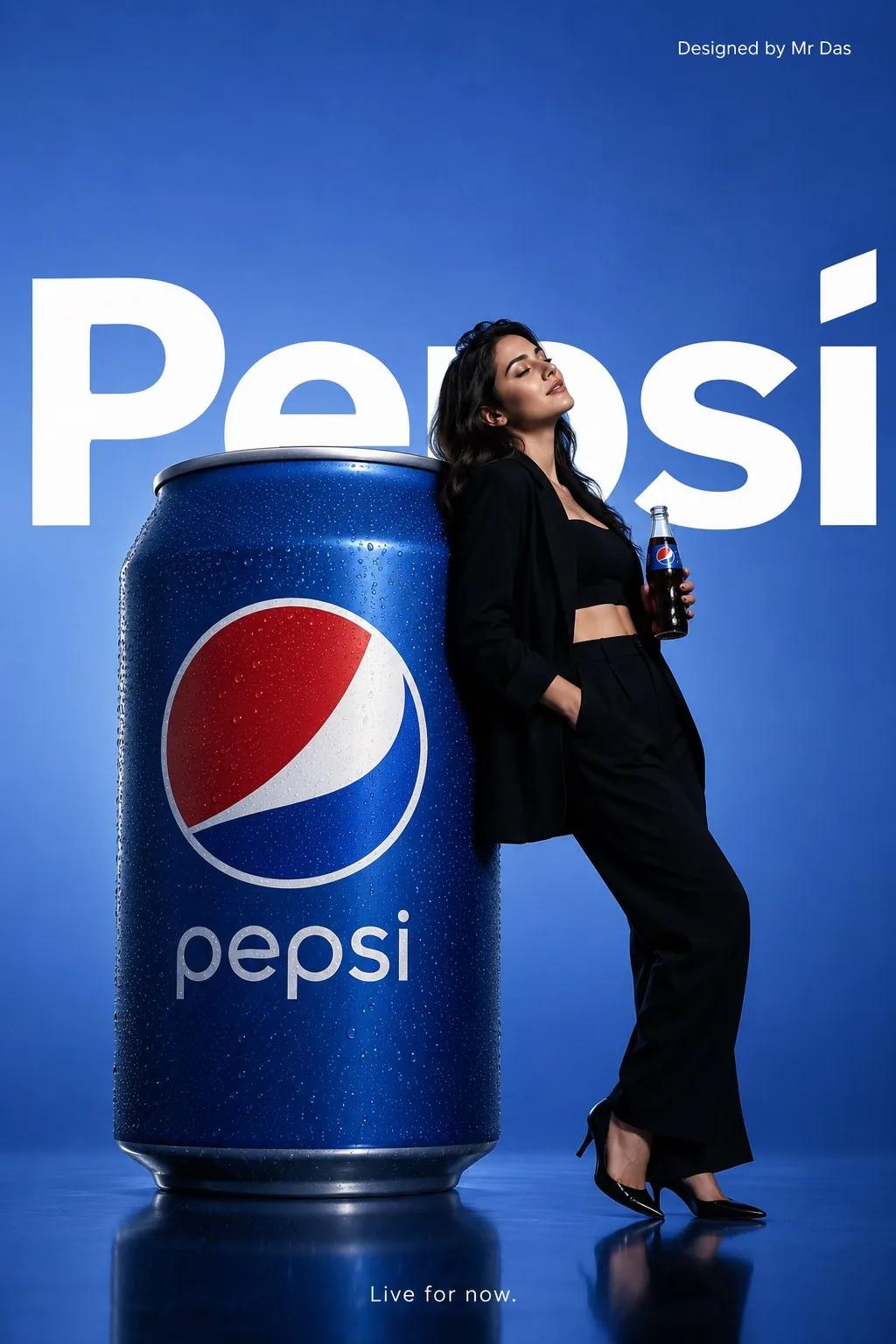 View prompt
  Mr Das@MrDasOnX ↗62 likes on X
Minimalist commercial ad featuring an oversized Pepsi can, ultra clean design. A young woman in a sleek all-black outfit leans casually against the giant can in a relaxed confident pose, eyes closed, holding a glass bottle of Pepsi. Soft gradient blue background with large bold white “Pepsi” text behind. Glossy reflective floor, soft studio lighting, modern high end fashion and product photography. Small top right text “Designed by Mr Das”. Bottom center tagline in small white font: “Live for now.”
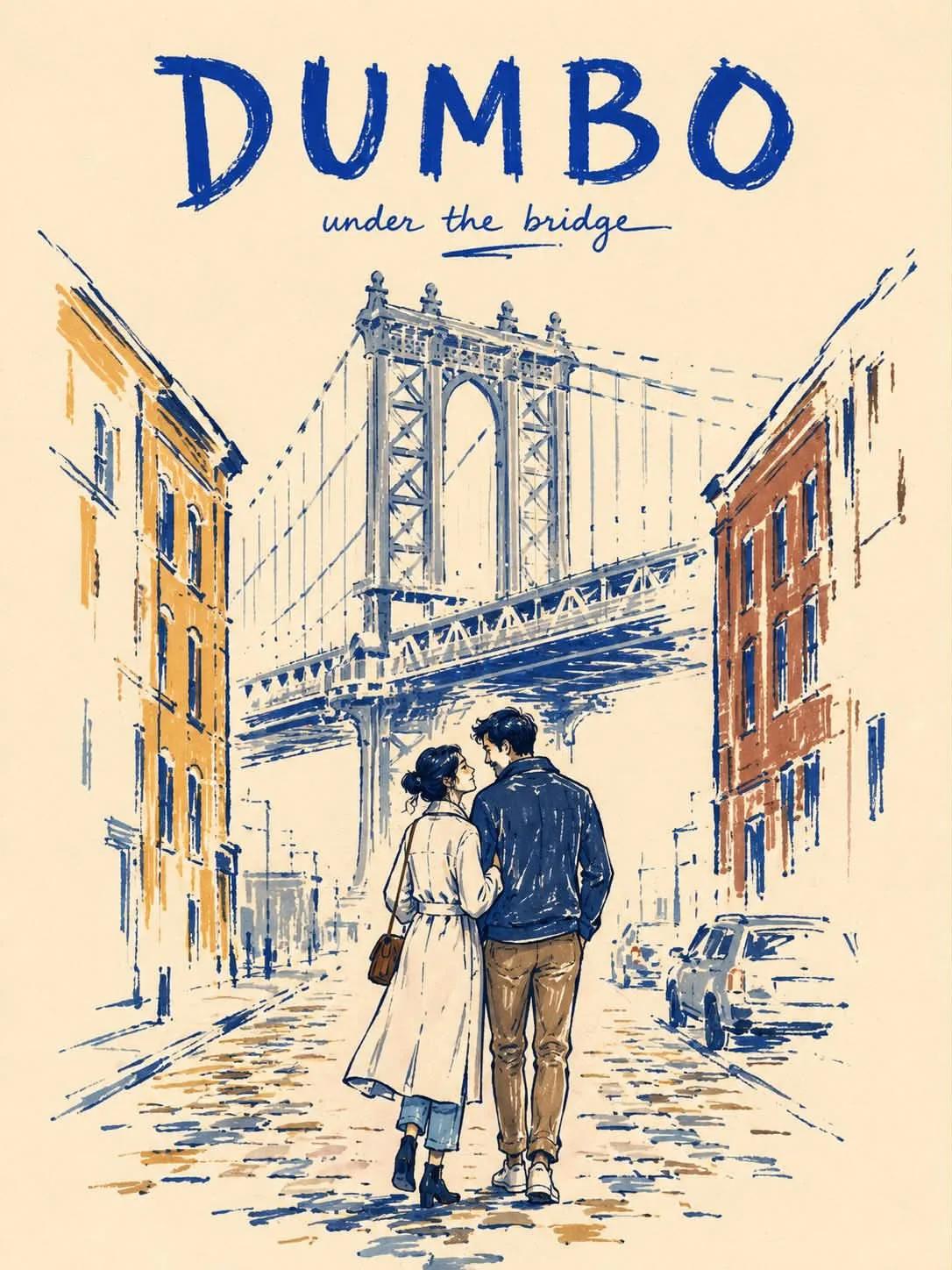 View prompt Sairah@Sairah_0 ↗74 likes on X
Create a vertical 3:4 minimalist marker-pen travel poster of NEW YORK CITY on warm ivory paper. STYLE: Use a rough, imperfect editorial marker illustration style with a modern folk-art feel. Draw with thick, slightly uneven cobalt-blue contour lines. Apply color with visible felt-tip marker strokes, streaky coverage, pressure variation, dry-skip texture, and patchy density. Do not fill shapes completely. Leave many small and medium uncolored gaps so the warm ivory paper remains visible through clothing, buildings, and street elements. Some outlines should break, skip, or fade. SCENE: Depict two lovers walking closely together on a quiet brownstone street in Manhattan. One gently leans toward the other in a natural affectionate pose. Keep the scene intimate and understated. BACKGROUND SIMPLIFICATION: Include only 4 essential New York cues: one brownstone stoop, one black fire escape, one small corner deli awning, and one faint yellow taxi. Optionally suggest a very faint distant skyline silhouette, but do not add more city elements. Keep the background visually quiet. COMPOSITION: Place the couple slightly below center as the emotional focus. Let the supporting background elements sit loosely behind them with incomplete marker fills and broken contour fragments. At least 40 percent of the page should remain untouched warm ivory paper. Keep the layout airy, elegant, and uncluttered. FINISH GRADIENT: The couple is the most resolved area. Nearby background objects are only about 40 to 60 percent rendered. Distant details and outer edges fade into loose marker strokes and untouched paper before reaching the border. POSTER TYPOGRAPHY: Add the title "NEW YORK CITY" at the top in bold hand-drawn uppercase lettering. Add a small handwritten subtitle such as "summer stroll". COLOR PALETTE: Use a restrained palette of deep cobalt blue, muted slate blue, mustard ochre, warm brown, taxi yellow, and warm ivory paper. Keep the palette limited and slightly muted. MOOD: Romantic, calm, urban, nostalgic, stylish, handmade. NEGATIVE PROMPT: fully filled marker coloring, solid flat fills, smooth vector color, polished digital finish, clean perfect outlines, overly complete rendering, crowded background, too many city elements, dense architecture, detailed signage, realistic textures, glossy surfaces, photorealism, watercolor, oil painting, airbrush shading, 3D render, cinematic lighting, dramatic shadows, cluttered layout, billboard overload, hyper-detailed buildings, perfect symmetry, extra fingers, extra limbs, distorted anatomy, blurry face.
Choose an example you love, or start with an idea of your own.
Change the subject, setting, and style. Review reference images and available options in Create.
Check the Credit cost, sign in, and generate. Find completed images in your private Creations.
Inspia keeps the result, original prompt, and creator source together. Move from discovering a visual direction to editing a prompt and generating your own image, all in one place.
GPT Image 2 is an OpenAI image model. On Inspia, you can explore attributed examples, adapt their prompts, and open the model in the Create workspace.
You can browse, read, copy, and edit prompts without an account. Sign in when you are ready to submit a generation or save a prompt to your account.
Prompt browsing and copying are free. Image generation uses Credits. The Create workspace shows the current cost for your selected options before you submit.
Reference inputs are available when supported by the model’s current configuration. In Create, review the available options and choose, remove, or disable a reference before generating.
Results can vary with the prompt, references, settings, and model version. These are original creator examples, not guaranteed reproductions. Use them as a starting point for your own work.
Check the applicable service terms and the rights to your inputs before commercial use. An attributed example is not a license to reuse its image, logos, characters, or other protected material.
Your completed images appear in your private Workspace under Creations. Generating an image does not publish it to the public prompt library.